Google Gemini - Premium without the price tag
An overview of Google Gemini, what you can do and what you cannot do.
The shift from classic SharePoint to the Modern Site experience represents far more than a superficial UI facelift. It is a complete architectural overhaul designed to transition SharePoint from a rigid, server-heavy document repository into a fast, mobile-first, and highly integrated collaboration ecosystem. Biggest changes
Single gigantic site collections over millions of sites.
Preference of classifications and metadata tagging over folders
Hubs over sub-sites
More templates, but fewer real configuration options (RIP Content Editor Web Part)
Teams-SharePoint Sites and SharePoint-SharePoint Sites
At its heart, the purpose of SharePoint Modern Sites is to democratize content creation and simplify collaboration. In the past, deploying a clean, functional intranet required a team of specialized developers and custom master pages. Modern sites eliminate this friction by providing responsive, high-performance layouts that look seamless on desktops, tablets, and smartphones out of the box.
Modern Sites generally fall into two primary categories, each tailored to a specific business intent:
Team Sites: Optimized for active, day-to-day collaboration within a specific project team or department. They are automatically connected to a Microsoft 365 Group, provisioning a shared Outlook mailbox, a Microsoft Teams channel, and shared planning tools simultaneously.
Communication Sites: Designed for broad broadcasting. These are your corporate intranets, HR portals, and policy hubs where a small group of authors creates and publishes visually striking content for a wide audience.
The Core Purpose of Modern Sites
Rather than relying on legacy web parts that required complex properties configurations, Modern Sites utilize flexible, client-side Modern Web Parts. These blocks automatically scale and adjust to screen dimensions:
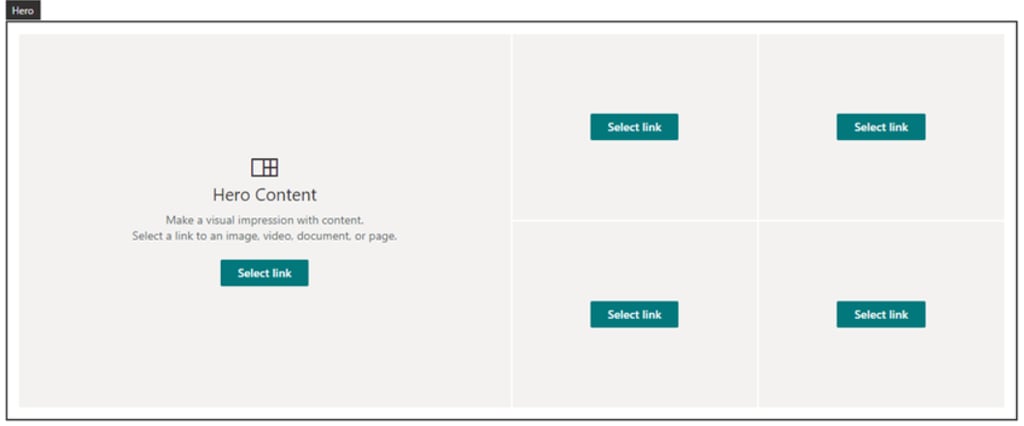
The Hero Web Part: Usually the centerpiece of a Communication Site, allowing authors to focus attention on critical announcements, files, or links using high-impact visual tiles or layers.
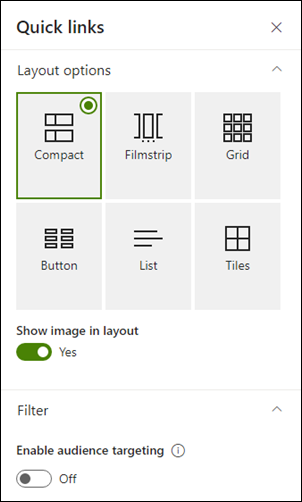
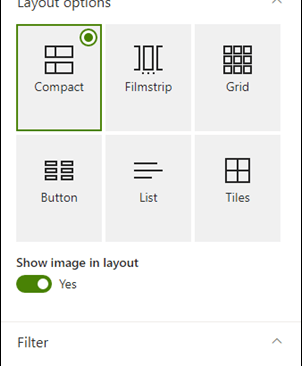
Quick Links: An easy way to organize and target essential shortcuts, replacing the clunky "Promoted Links" apps. A very versatile way of displaying clickable links and there are various styles that can be used for different purposes.
File Viewer: Allows users to embed interactive Excel sheets, Word documents, PDFs, or PowerPoint decks directly onto a page without requiring the end-user to open a desktop app.
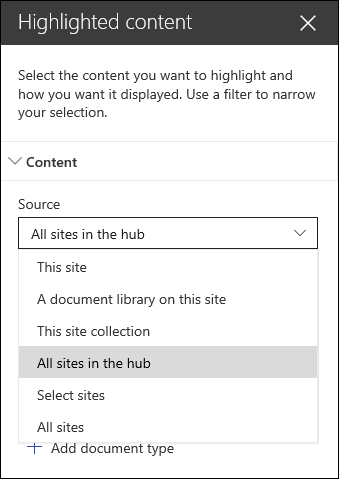
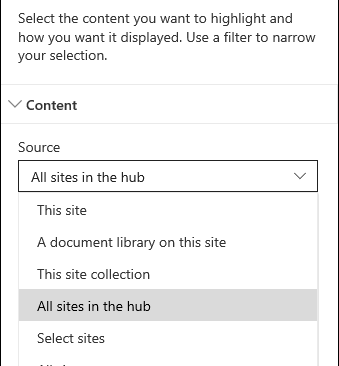
Highlighted Content: A dynamic web part that automatically surfaces recently updated documents, specific file types, or tagged content using simple, codeless filtering rules. Easier than searching!
The Dynamic Building Blocks: Modern Web Parts
While Modern Sites offer unparalleled agility, Microsoft achieved this by enforcing strict guardrails to maintain platform performance, security, and upgradability. If you are coming from a legacy environment, you will find several hard boundaries:
No Custom Scripting or HTML Injection: You can no longer inject raw JavaScript or custom CSS directly into web parts (such as the old Content Editor Web Part). This blocks traditional ad-hoc script workarounds to prevent broken page layouts and security vulnerabilities.
No Master Page Modifications: The backbone of the page layout is locked. Custom branding is achieved through structured, JSON-based site themes and corporate color palettes rather than hacking the underlying page structure.
No Legacy Extensibility Models: Traditional backend "Farm Solutions" or "Sandbox Solutions" are entirely unsupported. Customization must be built using the client-side SharePoint Framework (SPFx).
Web Part Pages have a maximum width that cannot be changed: For anyone using a larger sized monitor than a laptop, there might end up being a lot of white space around the main web part layout which cannot be helped. Communication sites have banners that can go the full width, but these cannot be transferred to Team sites. Consider this when designing.
The Boundaries: What You Can't Do
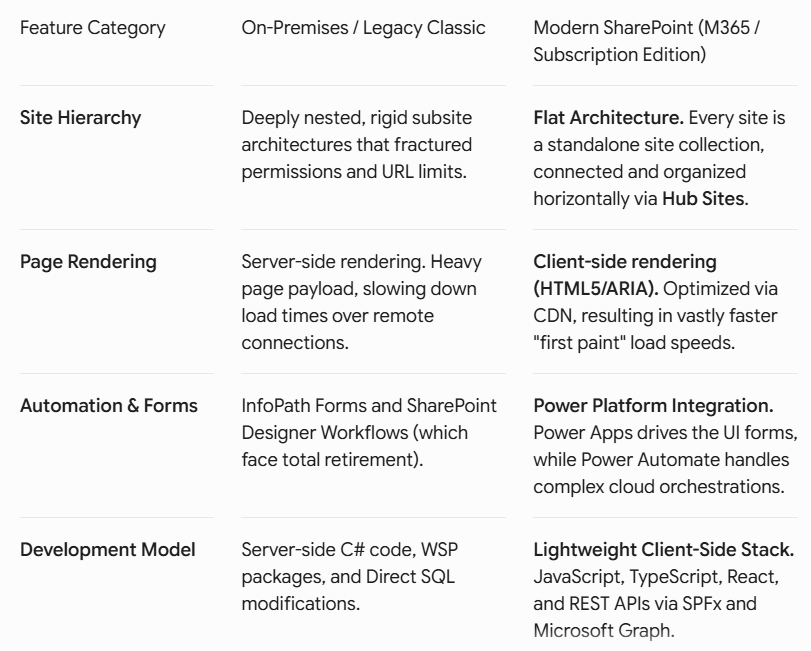
The evolutionary leap from legacy On-Premises (such as SharePoint 2013, 2016, or 2019) to Modern SharePoint entirely changes how information architecture is handled.
Evolution: Modern Sites vs. On-Premises Architecture